
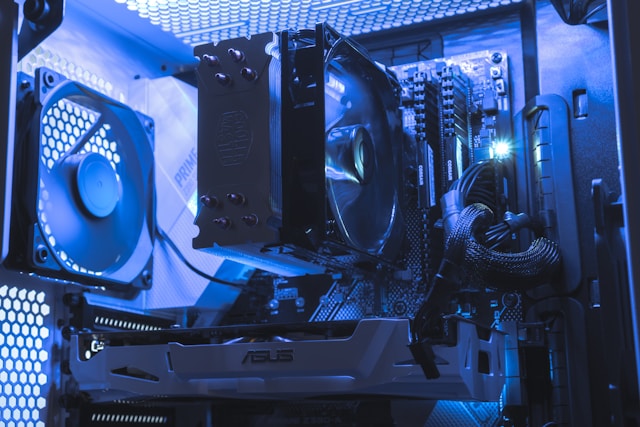
Spent $500 on a graphics card and got maybe 10 extra frames? Yeah, you bought the wrong part. A bottleneck calculator would’ve told you that before checkout.
Why Most PC Upgrades Fail
People upgrade backwards. Someone grabs an RTX off the shelf, shoves it in their old rig, and then posts on forums asking why everything still lags. Bro, your Ryzen 3 is six years old. That’s the problem.
The graphics card isn’t magic. It needs instructions from the CPU every single frame. Slow processor means slow instructions. Slow instructions means your expensive GPU renders half of what it could.
Real Numbers From Real Builds
Friend of mine bought an RTX 4070 Super in December. Still running an i5-9400F. Frames in Hogwarts Legacy? Around 55 at 1080p. He blamed the game.
Ran his specs through the calculator. 34% CPU bottleneck. His processor was ancient by gaming standards. Swapped to a Ryzen 5 7600 and suddenly hit 95+ frames. Same GPU, same settings, same game.
The card was never the problem.
Matching Parts Like Adults
Building a PC isn’t collecting Pokemon cards. You don’t grab the coolest looking parts and hope they work together.
A balanced build means your CPU and GPU operate at similar capacity under load. Both should hit 80-90% utilization in demanding games. If one maxes out while the other naps, money got wasted somewhere.
Use a pc bottleneck calculator before buying anything. Plug in what you have. Plug in what you want. See if the numbers make sense.
The Resolution Trap
Your bottleneck isn’t fixed. It moves around. At 1080p 144Hz, CPU matters more. The processor handles game logic, physics, AI, draw calls. Higher framerates demand more CPU work per second.
Playing at 4K 60Hz? GPU matters more. Pushing 8 million pixels takes raw graphics horsepower. CPU can relax a bit.
Same exact hardware performs differently depending on your monitor. A “balanced” build at 1080p might bottleneck hard at 4K. Or the opposite.
Mistakes I See Constantly
Buying flagship GPUs for 1080p gaming. Waste of silicon. Nobody needs an RTX 4090 for 1080p. The CPU runs out of steam way before that GPU breaks a sweat.
Ignoring RAM speed. Yeah it matters less than CPU or GPU. But slow single-channel memory creates micro-stutters that make games feel off even when framerates look fine.
Cheaping out on power supply then wondering why the system crashes under load. Not a bottleneck technically, but still stupid.
Before You Buy Anything
Stop. Open the calculator. Enter your current specs. Look at the bottleneck percentage.
Now swap in the upgrade you’re considering. Does the percentage improve? Does it shift the bottleneck somewhere else? Does it even make sense for your resolution and games?
Five minutes of checking saves hundreds in regret.
Common Questions
How Accurate Are These Calculators?
Close enough to prevent dumb purchases. They use benchmark data and typical game loads. Real-world results vary by title, but the general picture holds.
My Build Shows 5% Bottleneck. Good?
Golden. Your parts match well. Upgrade when games actually feel slow, not because newer hardware exists.
Can Bottlenecks Damage Hardware?
No. The slower part just limits the faster one. Nothing breaks. You just lose performance you paid for.
Prebuilt PCs Have Bottlenecks Too?
Constantly. Manufacturers love pairing decent GPUs with garbage processors because most buyers only check the graphics card. Always verify before prebuilts.



